 |
| 
Server Deployment - 2 options - VHD or WIM
WDS - Windows deployment services
- can be Standalone or AD integrated (need AD, DHCP and DNS)
- Need 2 images - Boot (WinPE) and Install image
- 2 modes unicasting (image is sent to single machine) and multicasting
- if using non-MS DHCP server, add option 60 - see Missing DHCP Option 60
WDS Transport server
- server with subset WDS features but does not have any depencies
- no PXE, no boot image
- only multicast support
- only command-line management tools (full version also has GUI)
- client needs wdsmcast.exe or custom app
Windows Deployment Services Getting Started Guide for Windows Server 2012
Lab Setup:
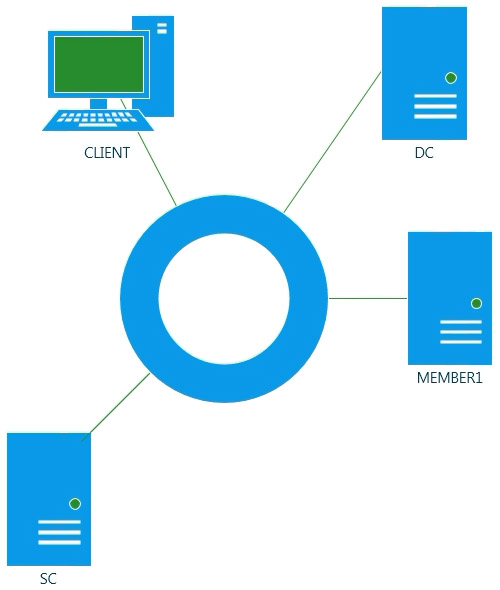
DC, Member1 and SC (SCVMM) - Windows Server 2012; Client - Windows 8
Enable PowerShell double-hopping:
- Client: Enable-WSManCredSSP -role Client -DelegateComputer '*.company.local'
- Server: Enable-WSManCredSSP -role Server
- Run: Enter-PSSession -ComputerName dc -Authentication Credssp -Credential 'COMPANY\Administrator'
- Use gpedit.msc and look at the following policy: Computer Configuration -> Administrative Templates -> System -> Credentials Delegation -> Allow Delegating Fresh Credentials
- Optional (only PowerShell v3): enable-psremoting -SkipNetworkProfileCheck
Credentials Delegation -> Allow Delegating Fresh Credentials
Resources: see The Second Hop in the book - Secrets of PowerShell Remoting - the PowerShell.org EBook Collection
.
WDS - Windows deployment services
- can be Standalone or AD integrated (need AD, DHCP and DNS)
- Need 2 images - Boot (WinPE) and Install image
- 2 modes unicasting (image is sent to single machine) and multicasting
- if using non-MS DHCP server, add option 60 - see Missing DHCP Option 60
WDS Transport server
- server with subset WDS features but does not have any depencies
- no PXE, no boot image
- only multicast support
- only command-line management tools (full version also has GUI)
- client needs wdsmcast.exe or custom app
Windows Deployment Services Getting Started Guide for Windows Server 2012
Lab Setup:
DC, Member1 and SC (SCVMM) - Windows Server 2012; Client - Windows 8
Enable PowerShell double-hopping:
- Client: Enable-WSManCredSSP -role Client -DelegateComputer '*.company.local'
- Server: Enable-WSManCredSSP -role Server
- Run: Enter-PSSession -ComputerName dc -Authentication Credssp -Credential 'COMPANY\Administrator'
- Use gpedit.msc and look at the following policy: Computer Configuration -> Administrative Templates -> System -> Credentials Delegation -> Allow Delegating Fresh Credentials
- Optional (only PowerShell v3): enable-psremoting -SkipNetworkProfileCheck
Credentials Delegation -> Allow Delegating Fresh Credentials
Resources: see The Second Hop in the book - Secrets of PowerShell Remoting - the PowerShell.org EBook Collection
.